
Elementary Teacher Placement Letters
Elementary Placement Letters have been posted to Campus Parent.
To access the placement letter:
Please log in here or in the Campus Parent mobile app you may have downloaded.
Once logged in:
-
Select the student's name on the home screen if you have more than one child in the district.
-
The Elementary Teacher placement letter will not appear in the Documents Need Attention section on the home screen.
-
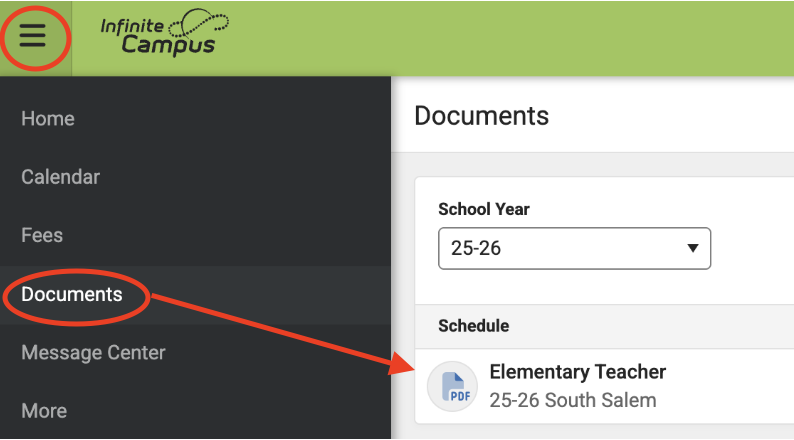
Select the Menu icon (three bars) in the upper left corner
- Select Documents
-
Select Elementary Teacher and it will open in a new window to download, print or view.
-
If you have more than one child at the elementary level, click the Home button on the menu to change the student and repeat the steps above.
If you are having trouble accessing your child's placement letter please email [email protected].